Docs / Nebula Sound System documentation / 16. Keyboard shortcuts
16. Keyboard shortcuts
The shipped keyboard shortcuts, and how to rebind them in Settings → Keys & Shortcuts.
Everything here can be changed in Settings → Keys & Shortcuts: click a row, press the keys you want. If the key is taken, Nebula asks before stealing it. "Reset" restores one action, "Reset all" restores everything. The list below is the shipped default.
| Key | Action | What it does |
|---|---|---|
Space |
Play / stop | Starts or stops playback. |
F9 |
Record | Arms recording on the transport. |
Ctrl+M |
Metronome on/off | Turns the click track on or off. |
Ctrl+L |
Loop on/off | Turns looped playback on or off. |
Home |
Back to start | Moves the playhead to the beginning. |
Ctrl+N |
New project | Starts a new, empty project. |
Ctrl+O |
Open project | Opens an existing project file. |
Ctrl+S |
Save project | Saves over the existing file. |
Ctrl+Shift+S |
Save project as | Saves to a new file. |
Ctrl+Z |
Undo | Reverses the last change. |
Ctrl+Y / Ctrl+Shift+Z |
Redo | Re-applies the last undone change. |
Ctrl+X / Ctrl+C / Ctrl+V |
Cut / Copy / Paste | The usual clipboard actions. |
Ctrl+D |
Duplicate | Duplicates the selection. |
Delete |
Delete | Deletes the selection. |
Ctrl+A |
Select all | Selects everything in the current view. |
Ctrl+E |
Split at cursor | Splits the selected clip at the playhead. |
Ctrl+J |
Consolidate | Merges the selection into one clip. |
Tab |
Next view | Cycles Timeline, Clip Launcher, Mixer, Node. |
Ctrl+Alt+S |
Switch Clip Launcher / Timeline | Toggles between the two song views. |
Ctrl+= / Ctrl+- / Ctrl+0 |
Zoom in / out / fit | Zooms the current view. |
Ctrl+Alt+B |
Toggle browser | Shows or hides the left panel. |
Ctrl+Alt+M |
Toggle mixer | Shows or hides the mixer. |
Ctrl+Alt+D |
Toggle detail view | Shows or hides the bottom panel. |
Ctrl+Alt+N |
Toggle node view | Shows or hides the Node view. |
Ctrl+, |
Settings | Opens the Settings sheet. |
Ctrl+Q |
Quit | Closes Nebula (asking first if there is unsaved work). |
Ctrl+K / Ctrl+Shift+P |
Command palette | A searchable list of every action. |
F1 |
Help | Opens help for the current view. |
Ctrl+T / Ctrl+Shift+T |
New MIDI / audio track | Adds a track from any view. |
Ctrl+R / Ctrl+Shift+R |
Rename / Arm track | Renames or arms the selected track. |
Enter (Clip Launcher) |
Launch scene | Launches the selected scene. |
Ctrl+. (Clip Launcher) |
Stop all clips | Stops every playing clip. |
Ctrl+Shift+Enter (Clip Launcher) |
Arm clip | Arms the selected clip slot. |
B / Esc / Q (piano roll) |
Draw / Select / Quantise | Note editing modes. |
The command palette
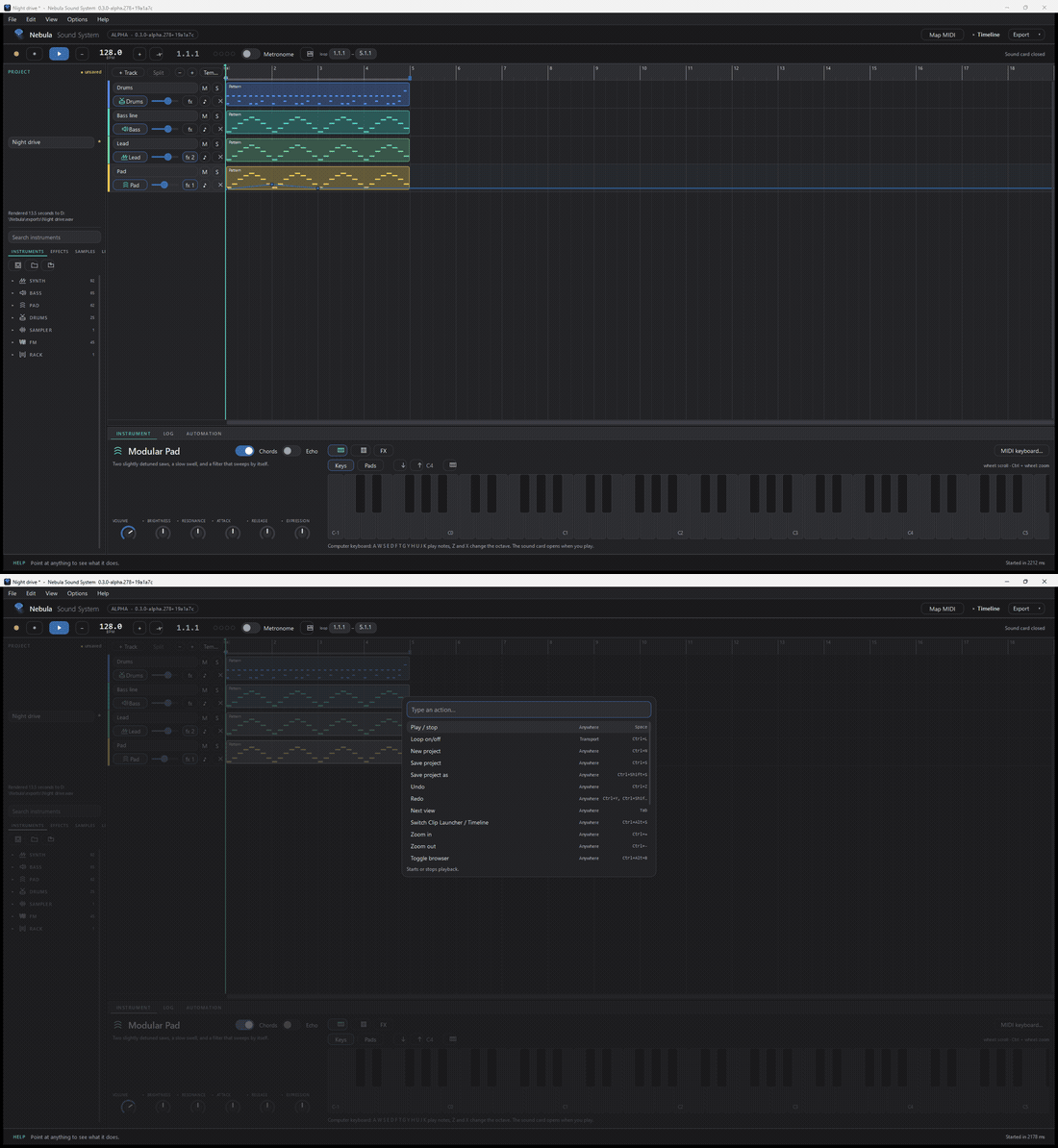
Ctrl+K opens a search box over the window: type a few letters and every matching action appears with its key. It is the fastest way to find a command you use rarely.
Updated 2026-11-03